My life in plain text, revisited: Planova and one Markdown file per day
In 2022 I wrote My life in plain text: todos in todo.txt, events in a homemade agendatxt format, expenses in another homemade format, notes in Markdown, and a proof-of-concept Android app called MOrg to glue it all together on mobile. Almost four years later, everything is still plain text, but almost everything else about the setup has changed. The main change fits in one sentence: I stopped splitting my life by kind of data, and started splitting it by day.
What was wrong with the first setup
The 2022 structure looked tidy: one file per concern (todo.txt, agenda.txt, expenses.txt, a journal folder). In practice, three problems kept coming back:
- Custom formats need custom parsers.
agendatxtandexpensetxtwere trivial to define, but every tool that touched them, the Android app, the shell aliases, the scripts, had to reimplement the same parsing and the same edge cases. A format only I use is only future-proof in theory. - A day was scattered across files. "What happened on Tuesday?" meant grepping a date across the agenda, the done-list and the journal, then merging the answers in my head.
- One global
todo.txtonly grows. Without a date attached to anything, the file became a guilt list: hundreds of lines, no idea when something was added or silently abandoned.
MOrg, the mobile app, honestly never left the proof-of-concept stage. It worked, I used it daily, but each custom format made it heavier to maintain.
One Markdown file per day
The replacement is Planova, and its core idea is the daily file: dailies/20260712.md, plain Markdown, four sections:
## Events

- @09:30 Standup
- @14:00 Review Planova release

## Tasks

- [ ] Write the blog post about Planova
- [x] Fix the widget refresh on Android

## Journal

Spent the morning chasing a cache invalidation bug...

## Notes

Links and thoughts that belong to today.
There is no format to learn beyond two conventions that Markdown users already know: checkboxes for tasks, and a @HH:MM prefix to make a list item an event. Everything about a day, what was planned, what got done, what I thought, lives in one file that any editor, grep or git diff can read. The rest of the tree is just as boring, and that's the point:
Org/
├── dailies/
│   ├── 20260711.md
│   └── 20260712.md
├── archives/
└── notes/
    ├── Work/
    │   └── project_1.md
    └── Personal/
        └── project_2.md
The refill, instead of a global todo list
If todos live in daily files, what happens to the ones you didn't finish? That was my main doubt about the per-day model, and the answer turned out to be my favourite feature. Each morning, Planova offers a refill: the undone todos from all previous days, most recent first, and you pick which ones to carry into today.
It is a small ritual, thirty seconds, but it inverts the failure mode of todo.txt. A task now has to earn its place in today's file, every day. Things I keep declining to refill are things I have visibly decided not to do, and the old daily files keep an honest record of when I gave up on them.
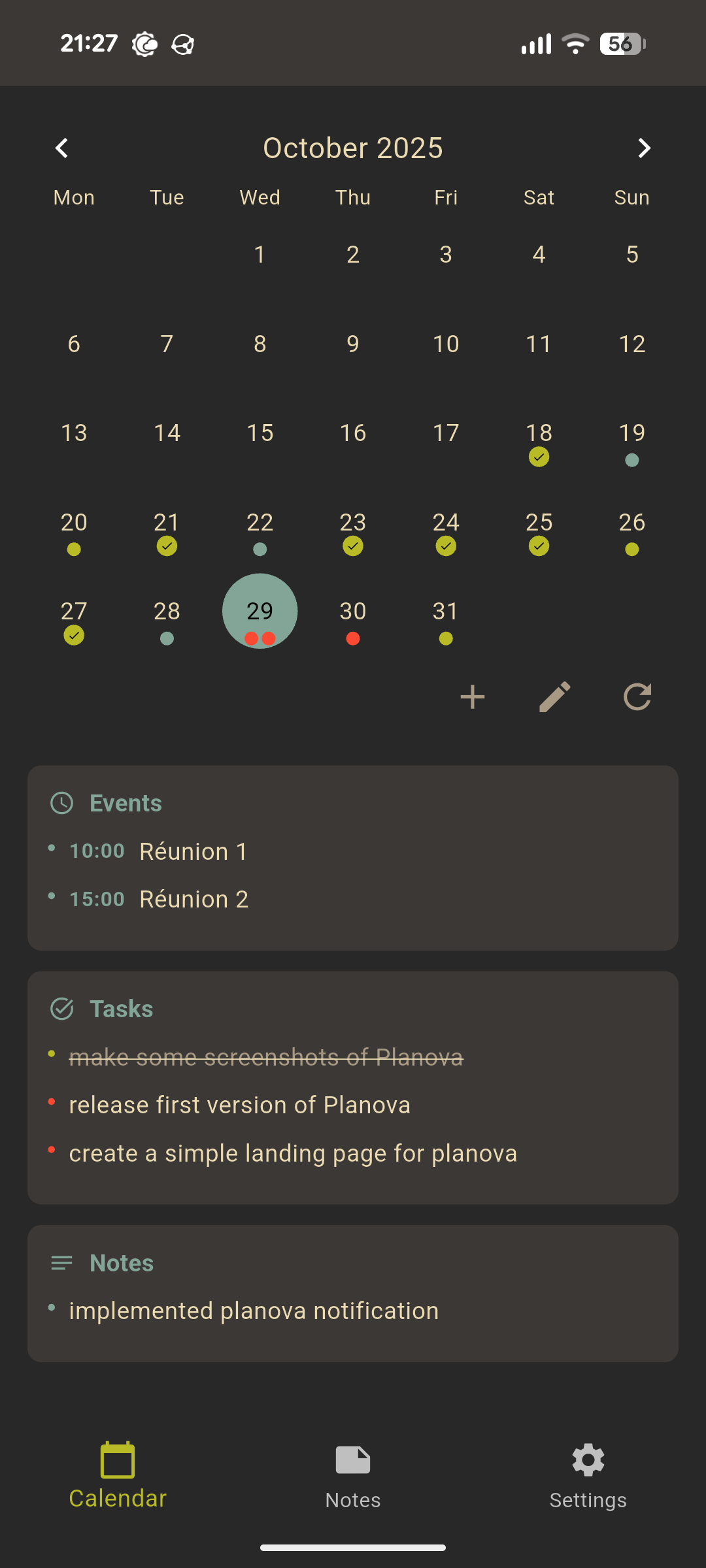
On mobile: the Planova app
Planova itself is a Flutter app, running on Android and on Linux desktop. Like MOrg it is opinionated and minimal, but this time it went past the proof-of-concept stage, version 1.3 is out and it has been my daily driver for over a year:
- a month calendar with the selected day's Markdown below, editable in place, with double-tap to check or uncheck a todo;
- notifications generated directly from the
@HH:MMlines, no separate calendar database; - a home-screen widget with upcoming events and today's todos;
- ICS import, so an invitation shared from a mail client lands in the right daily file;
- a notes view over the
notes/folder with search, subfolders and rename.
On desktop: vim, and a Go CLI
On Linux I still live in a terminal, so the daily files are one vim away. For the structured operations I wrote a small companion CLI in Go:
planova calendar                      # month view, with event/todo markers
planova todo --add "Buy groceries"    # append to today's ## Tasks
planova event --add "@14:30 Meeting"  # append to today's ## Events
planova daily --edit                  # open today's file in $EDITOR
Because the app and the CLI share nothing but the files themselves, they cannot disagree. The file is the state. Any script that can append a line to a Markdown file is a valid Planova client.
Still no built-in sync, on purpose
Planova has no account, no server and no sync of its own, and that is a feature. My Org/ folder is synchronized between phone, laptop and desktop with Syncthing; Nextcloud, Dropbox or a git repository would work just as well. The app's job is to read and write files, not to move them.
Conclusion
Four years on, the bet on plain text has aged well, the 2022 files are still readable, which is more than most apps of that era can say. The bet on custom formats has not: the fewer conventions I invented, the longer the system lasted. One Markdown file per day, a folder of notes, and tools that treat the files as the single source of truth turned out to be all the structure my life needs.
Planova is MIT licensed, like everything else in this setup. If the approach speaks to you:
- planova.rvier.fr: the app's website;
- Planova on GitHub: the Flutter app (Android and Linux);
- the Go CLI, for the terminal side of the same files.